
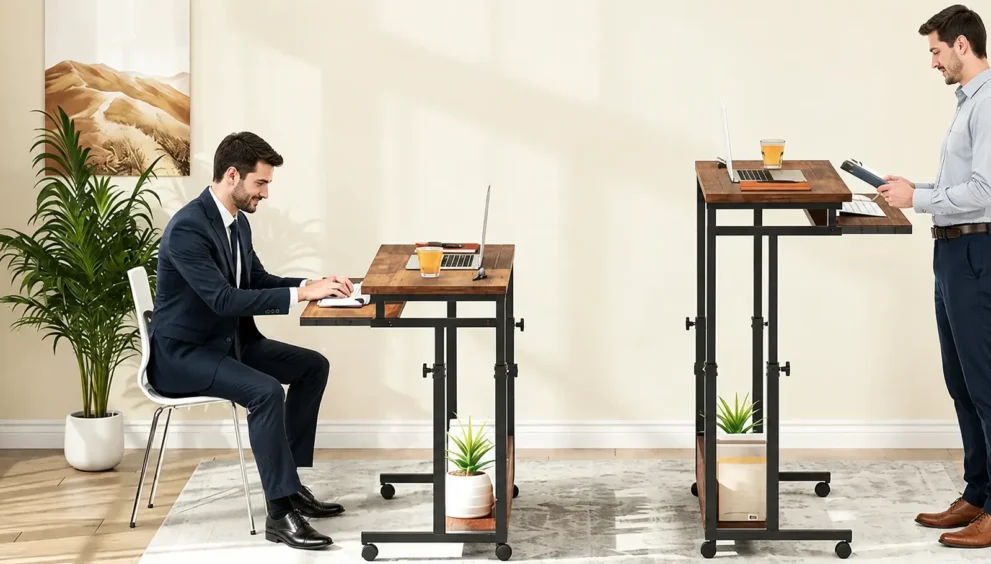
Riser Desk vs Standing Desk: Which One Should You Choose Now?
Remote and hybrid work has turned the home office into a permanent fixture rather than a temporary setup, and that shift has made one question more common than ever: should you buy a riser desk or a full standing desk? Both promise the same core benefit — the ability to switch between sitting and standing during the day — but they get you there in very different ways. This guide compares a riser desk vs standing desk across cost, stability, workspace, and long-term value, so you can match the right option to your actual routine instead of guessing.
Table of Contents
- What Is a Riser Desk?
- What Is a Standing Desk?
- Riser Desk vs Standing Desk: Comparison Table
- Major Differences
- Similarities
- Pros and Cons
- Which One Is Better for Different Users?
- Ergonomics
- Health Benefits
- Cost Comparison
- Buying Guide
- Common Mistakes Buyers Make
- Future Trends and Sustainability
- FAQ
- Final Verdict
What Is a Riser Desk?
What is a riser desk? A riser desk, also called a desk converter, is a raised platform that sits directly on top of a desk you already own. Instead of replacing your furniture, it lifts your monitor, keyboard, and mouse to standing height whenever you need it, then lowers back down when you sit. Consequently, it requires no installation and no extra floor space beyond the desk you’re already using.
Most riser desks fall into two categories. Manual models use a spring-loaded lever that you pull to release the platform into a new height notch. Gas-lift or pneumatic models use internal springs to smooth out the motion, so raising and lowering takes noticeably less effort.
Riser desks typically suit renters, hybrid workers who split time between a home office and a workplace desk, and anyone who wants to test standing work before committing to a bigger purchase. Because they attach to an existing surface, however, they also inherit that surface’s limitations — if your current desk wobbles, the riser will wobble too.
What Is a Standing Desk?
A standing desk, sometimes called a sit-stand desk, is a complete workstation where the entire frame — not just an add-on platform — moves up and down. Your whole desktop rises or lowers together, which means your monitor, keyboard, notebook, and any other equipment stay on one continuous, stable surface at every height.
Standing desks come in several types:
- Manual crank desks, which use a hand crank connected to an internal spindle. This is the most affordable adjustable option, though winding a loaded desk twice a day can get tiring quickly.
- Electric desks, which use motorized legs and push-button controls. Many include programmable height presets, so you can save your ideal sitting and standing positions and switch between them instantly.
- Fixed-height standing desks, built at a set standing height with no adjustment at all — a niche option for people who plan to stand exclusively.
Because the whole desktop moves as a single unit, electric models in particular offer more consistent stability at every height than a platform sitting on top of another desk.
Riser Desk vs Standing Desk: Comparison Table
| Feature | Riser Desk | Standing Desk |
|---|---|---|
| Structure | Platform added on top of an existing desk | Full desk with an adjustable frame |
| Installation | None required, ready out of the box | Assembly usually required |
| Workspace | Uses part of the existing surface | Entire desktop stays usable |
| Stability | Moderate; depends on the base desk | High, especially with dual-motor frames |
| Height range | Limited to the converter’s lift range | Full sit-to-stand range |
| Weight capacity | Roughly 10–20 kg on most models | Higher; suited to multi-monitor setups |
| Portability | Easy to move or remove | Fixed once installed |
| Price | Lower upfront cost | Higher upfront investment |
| Best for | Temporary, hybrid, or small-space setups | Long-term, full-time home offices |
Major Differences
The core distinction comes down to structure. A riser desk modifies one zone of your existing setup, while a standing desk replaces the entire environment. As a result, a standing desk gives you a single continuous surface at any height, whereas a riser desk creates two tiers — the base desk and the raised platform — which can make the desktop feel more cluttered as you add monitors, lamps, or paperwork.
Price follows the same logic. Because a riser desk borrows your current desk instead of replacing it, it almost always costs less upfront. A standing desk asks for a bigger investment because you’re buying an entirely new piece of furniture, not an accessory.
Portability is another meaningful gap. A riser desk can be picked up, folded, and moved between rooms or even carried to an office, which matters for hybrid workers. A standing desk, once assembled, is essentially fixed in place.
Similarities
Despite these differences, both solutions solve the same underlying problem and share several qualities:
- Both let you alternate between sitting and standing without buying two separate desks
- Both support better posture when set up at the correct height
- Both are available in manual and motorized or gas-assisted versions
- Both require you to pair the desk with good habits — height, monitor placement, and movement breaks — in order to see real ergonomic benefits
Pros and Cons
Riser Desk
Pros
- Lower cost than a full standing desk
- No assembly or installation
- Easy to move, fold, or take with you
- Works with a desk you already own and like
Cons
- Reduces usable desktop space
- Weight limits make it unsuitable for heavy, multi-monitor setups
- Stability depends partly on the desk underneath it
- Adjustment range is narrower than a full standing desk
Standing Desk
Pros
- Full desktop remains usable at every height
- Greater stability, particularly with electric dual-motor frames
- Wider adjustment range that fits more body heights comfortably
- Better suited to long-term, full-time use
Cons
- Higher upfront cost
- Usually requires assembly
- Takes up a fixed footprint and cannot be easily moved
- May be more desk than occasional or light users actually need
Which One Is Better for Different Users?
- Full-time remote workers generally benefit more from a standing desk, since the stability and space support long daily hours.
- Hybrid workers who split time between home and an office often prefer a riser desk because it travels with them.
- Students and light users working mainly from a laptop can usually get everything they need from a riser desk at a fraction of the cost.
- Programmers, designers, and multi-monitor users tend to outgrow a riser desk quickly, since two or three screens exceed most converters’ weight limits.
- Renters or anyone in a small or shared space often prefers a riser desk because it takes up no additional floor space.
- Budget-conscious buyers starting their ergonomic journey can use a riser desk as a low-risk way to test standing work before investing further.
Ergonomics
Buying either desk only solves half the problem — the setup still needs to be dialed in correctly.
- Alternate positions. The human body isn’t built to stand all day any more than it’s built to sit all day. A common approach is roughly 45 minutes seated to 15 minutes standing within each hour.
- Set the right height. Whether sitting or standing, your elbows should sit at close to a 90-degree angle, with forearms parallel to the floor.
- Position your monitor. The top third of the screen should be at eye level. Laptop users should add a stand and external keyboard to avoid looking down for long periods.
- Use an anti-fatigue mat. Standing on a cushioned mat encourages small movements that support blood flow and reduce pressure on the knees and lower back.
- Build up gradually. If you’re new to standing work, start with 10–20 minute stretches and increase duration as your legs and core adjust over several weeks.
Health Benefits
Reducing long stretches of uninterrupted sitting is consistently linked to less lower-back strain, since prolonged sitting increases pressure on the spine and surrounding muscles. Alternating between sitting and standing can also support better circulation and reduce stiffness that builds up over a workday. That said, these benefits come from movement and variation, not from standing itself — standing motionless for hours can create its own fatigue. Anyone with an existing back condition, herniated disc, or chronic pain should treat a sit-stand setup as a helpful habit, not a substitute for guidance from a doctor or physical therapist.
Cost Comparison
Riser desks are typically the cheaper entry point, though pricing overlaps more than people expect once you move into gas-lift or larger-surface models. Standing desks cost more upfront, but many buyers find the investment pays off over time through a sturdier frame, wider surface, and fewer replacement cycles. In practice, the better long-term value depends on how many hours a day you’re actually at the desk — heavy daily use favors a standing desk, while occasional or hybrid use often doesn’t justify the extra cost.
Buying Guide
Before buying, weigh these factors against your own routine:
- Budget – how much are you willing to spend upfront versus over time?
- Workspace size – do you have room for a full desk, or does a converter make more sense?
- Existing desk – is your current desk worth keeping, or is it due for replacement anyway?
- Weight capacity – how many monitors and accessories will the desk need to support?
- Daily usage – are you at the desk for a few hours or the entire workday?
- Portability needs – do you need to move the setup between rooms or locations?
- Warranty and build quality – especially important for motorized standing desks, where the motor is the component most likely to need support.
Common Mistakes Buyers Make
- Choosing based on price alone, without checking weight capacity or surface size
- Ignoring monitor height and elbow angle after installing the desk
- Picking a riser desk that’s too narrow for the number of accessories on the desktop
- Assuming any standing desk will fit in a small room without measuring floor space first
- Buying a full standing desk for occasional use when a riser desk would have been enough
- Standing all day instead of alternating, which can create new discomfort rather than relieving it
Future Trends and Sustainability
Desk technology is moving toward smarter, more adaptive systems. Some newer standing desks now include sensors that track how long you’ve been sitting or standing and nudge you to switch positions, along with app-based tracking of daily movement patterns. On the sustainability side, more manufacturers are shifting toward recycled steel frames and lower-emission manufacturing processes, which is worth checking if environmental impact factors into your decision. For cable management, both desk types benefit from a simple under-desk tray or clip system — this becomes more important on a riser desk, where cables need enough slack to move with the platform as it rises and falls.
FAQ
Is a riser desk as good as a standing desk?
They solve the same core problem but in different ways. A standing desk offers more stability and a larger surface, while a riser desk offers a lower price and portability. The better fit depends more on your routine than on either product being objectively superior.
Can I use a riser desk with dual monitors?
Some models can support two monitors, but this depends on the specific weight capacity and surface width. Heavier multi-monitor setups generally do better on a full standing desk.
Is a standing desk worth the extra cost?
For people working full-time from a dedicated home office, most find the added stability and space worth the investment. For occasional or hybrid use, a riser desk often covers the same needs for less money.
Which is easier to assemble?
Riser desks typically need no assembly. Standing desks usually require some assembly time, though most modern models come with straightforward instructions.
Which saves more floor space?
A riser desk, since it uses the footprint of a desk you already own rather than adding a new piece of furniture to the room.
Does a standing desk help with back pain?
Alternating between sitting and standing can reduce continuous pressure on the lower spine and encourage more movement throughout the day, which many people find helpful for mild to moderate back discomfort. Persistent or severe pain should be evaluated by a healthcare professional.
Final Verdict
There’s no universal winner between a riser desk and a standing desk — the right choice depends on your space, budget, and how many hours you spend at your desk each day. A riser desk is the practical pick for hybrid workers, renters, students, and anyone who wants to try standing work without a major investment. A standing desk makes more sense for full-time remote workers, multi-monitor setups, and anyone building a permanent, dedicated home office. Match the desk to how you actually work, not just to price, and either option can meaningfully improve your daily posture and comfort.