

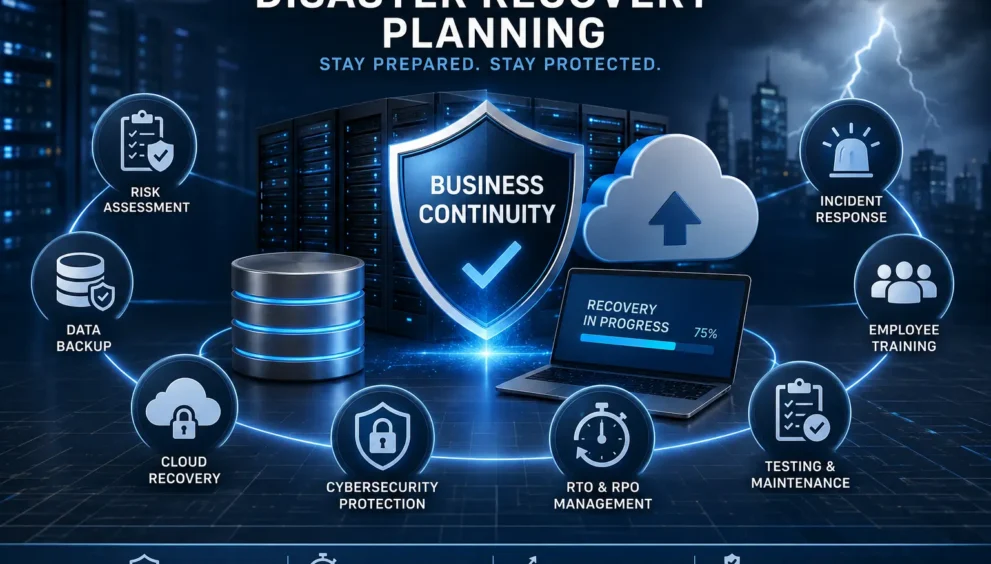
IT Business Solutions for Disaster Recovery Planning
Imagine walking into your office on a Monday morning, only to find your servers down, your customer data inaccessible, and nobody sure why. For many businesses, this is not a distant nightmare; it is a real possibility that happens more often than owners like to admit. This is exactly why IT Business Solutions for Disaster Recovery Planning have become essential rather than optional. In today’s connected world, a single outage can halt operations, damage trust, and cost thousands of dollars within hours. Therefore, preparing, responding, and recovering is no longer just an IT department’s job; it is a company-wide responsibility.
What Disaster Recovery Planning Really Means for a Business
At its core, disaster recovery planning is the process of preparing your systems, data, and teams to bounce back quickly after something goes wrong, whether that is a cyberattack, a power outage, or a simple human mistake. Unlike general business continuity planning, which covers the entire organization, disaster recovery focuses specifically on restoring technology infrastructure, including servers, applications, networks, and data.
Think of it as a safety net. When something fails, your plan tells your team exactly what to do, in what order, and who is responsible. Without this roadmap, recovery becomes chaotic, and every wasted minute adds to the damage.
Why Every Business Needs a Disaster Recovery Strategy
Some business owners assume disasters only happen to large corporations, but that assumption is risky. Small and medium businesses are often hit harder because they lack the resources to recover quickly, so a well-thought-out strategy is not a luxury; it is a survival tool.
A few reasons why every organization, regardless of size, should have one in place:
- Downtime directly translates into lost revenue and missed opportunities.
- Customers expect uninterrupted service, and outages can push them toward competitors.
- Regulatory bodies in many industries require documented recovery procedures.
- A tested plan reduces panic and confusion during an actual crisis.
Ultimately, disaster recovery planning protects not just your systems, but also your brand’s credibility.
The Role of IT Business Solutions in Preventing Downtime
Modern IT business solutions play a central role in minimizing downtime before it becomes a crisis. These solutions combine software, hardware, and expert guidance to identify weak points and strengthen them proactively. For instance, automated monitoring tools can detect unusual activity before it escalates into a full-blown outage.
Furthermore, IT providers often offer managed services that continuously watch over networks, applications, and backups, so problems are frequently resolved before employees or customers even notice. In short, prevention is always more cost-effective than recovery.
Common Causes of IT Disasters
Understanding what typically causes IT disasters helps businesses prepare more effectively. While every industry faces unique risks, certain causes appear repeatedly across organizations of all sizes.
Cyberattacks and Ransomware
Cybercriminals increasingly target businesses of every size, not just large enterprises. Ransomware can lock organizations out of their own data until a ransom is paid, which is why immutable backups have become so important.
Hardware Failure
Servers, hard drives, and networking equipment do not last forever. Eventually, mechanical or electronic failure occurs, often without warning.
Natural Disasters
Floods, fires, earthquakes, and storms can physically destroy equipment, making off-site or cloud backups essential.
Human Error
Accidental deletions, misconfigurations, and incorrect updates remain leading causes of data loss. Since people make mistakes, systems must be designed to recover from them quickly.
Cloud Outages
As more companies move to the cloud, dependency on third-party providers grows. When a major cloud platform experiences downtime, businesses relying solely on that service are affected too.
Essential Components of a Strong Disaster Recovery Plan
A reliable disaster recovery plan is built from several interconnected pieces, and missing even one can weaken the entire structure.
Risk Assessment and Business Impact Analysis
Before building any recovery strategy, businesses must understand what they are protecting against. A risk assessment identifies potential threats, while a business impact analysis calculates how much each system’s downtime would cost. Together, these steps guide every later decision, from budget allocation to backup frequency.
Backup and Recovery Strategies
Backups are the backbone of disaster recovery, though not all methods offer the same protection. Businesses typically choose between full, incremental, and differential backups, depending on how often data changes and how quickly it needs restoring.
Cloud-Based Disaster Recovery
Cloud-based recovery has transformed how businesses approach IT resilience. Instead of maintaining expensive physical backup sites, companies can now replicate systems in the cloud, paying only for what they use. This approach also allows faster recovery, since cloud environments can be activated within minutes rather than days.
Data Protection and Cybersecurity Integration
Disaster recovery and cybersecurity go hand in hand. A plan that ignores security risks leaving backups vulnerable to the very attacks it should protect against. Encryption, access controls, and continuous monitoring belong in every strategy from the start.
Disaster Recovery Tools and Technologies
Choosing the right tools depends on your business size, budget, and technical requirements. Common technologies include automated backup software, replication tools, failover systems, and monitoring dashboards. Many providers now combine these into single platforms, making recovery easier for smaller teams without a large IT department.
Understanding RTO and RPO
Two terms come up constantly in disaster recovery conversations: Recovery Time Objective and Recovery Point Objective. Although they sound technical, the concepts are straightforward once explained simply.
RTO refers to how quickly a system must be restored after failure. RPO refers to how much data loss is acceptable, measured in time. For example, an RPO of one hour means backups must occur at least every sixty minutes.
Below is a simple comparison showing how different recovery approaches affect these targets.
| Recovery Approach | Typical RTO | Typical RPO | Best Suited For |
|---|---|---|---|
| Cold Backup Storage | Several hours to days | 24 hours or more | Non-critical systems, small budgets |
| Warm Standby | A few hours | Several hours | Mid-priority applications |
| Hot Standby / Active Setup | Minutes | Near real-time | Mission-critical business systems |
| Cloud-Based DRaaS | Minutes to an hour | Minutes | Growing businesses needing flexibility |
As shown above, the faster you need to recover, the more investment is typically required. Businesses should align spending with the actual importance of each system rather than applying one approach across the board.
Testing and Maintaining Your Disaster Recovery Plan
Creating a plan is only half the work; testing it regularly is equally important. Many organizations write a detailed plan and never revisit it, only to discover during an actual emergency that the steps are outdated. To avoid this, businesses should schedule periodic testing, ranging from simple document reviews to full simulation drills.
Every test should be followed by an honest review. What worked? What failed? What needs updating? These questions ensure the plan evolves alongside your technology and business needs.
Employee Training and Incident Response
Even the best technology cannot compensate for an untrained team. Employees should know exactly what to do the moment something goes wrong, whether that means reporting a suspicious email or following an emergency communication protocol. Regular training, combined with clear documentation, reduces confusion and response time during real incidents.
Assigning specific roles in advance, such as who declares an emergency and who communicates with customers, prevents the chaos that often accompanies unexpected downtime.
Common Mistakes Businesses Should Avoid
Even well-intentioned companies make avoidable errors when building their strategy. Recognizing these mistakes early can save significant time and money later.
- Treating disaster recovery as a one-time project instead of an ongoing process.
- Failing to test backups, resulting in corrupted or unusable data during an emergency.
- Ignoring cloud and third-party dependencies within the recovery plan.
- Allowing outdated contact information to slow down communication during a crisis.
- Underestimating the human element by not training staff adequately.
Avoiding these pitfalls takes consistent attention, but the payoff is a plan that works when it matters most.
Best Practices for Improving Business Continuity
To strengthen overall resilience, businesses should combine disaster recovery with broader continuity practices. This includes documenting every critical system, maintaining updated contact lists, and reviewing recovery objectives at least once a year. Working with experienced IT business solutions providers can also offer expertise that many internal teams simply do not have time to develop.
Future Trends in Disaster Recovery Planning
Looking ahead, automation and artificial intelligence are reshaping how businesses approach recovery. Predictive analytics can flag potential failures before they occur, while automated failover systems reduce the need for manual intervention. As cyber threats evolve, immutable and air-gapped backups are also becoming standard practice rather than optional extras. Businesses that adopt these technologies early often gain a meaningful advantage in resilience and cost efficiency.
Final Thoughts and Practical Takeaways
Disaster recovery planning is not about predicting every possible disaster; it is about being ready regardless of what happens. By combining risk assessment, reliable backups, cloud flexibility, and consistent testing, businesses can significantly reduce downtime and protect their reputation. Investing in strong IT business solutions today means avoiding costly surprises tomorrow. Start small if necessary, but start now, since the cost of preparation is always lower than the cost of recovery.