

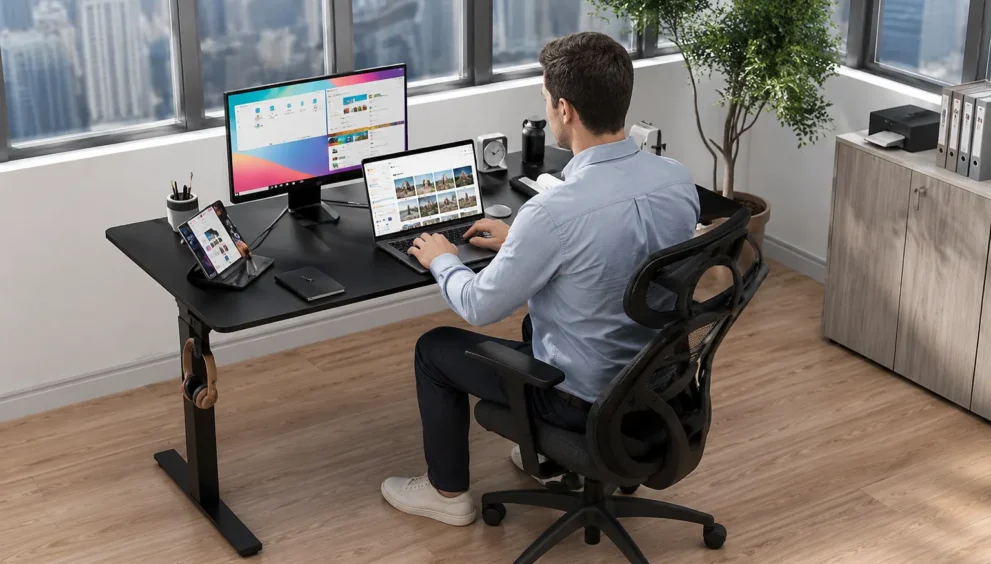
Single-Tier vs Dual-Tier Riser Desk: Key Differences
Quick Answer — A single-tier riser desk gives you one flat platform for your monitor and laptop, with no separate keyboard tray. A dual-tier riser desk splits that into two levels: a raised top surface for your monitor and a lower tray for your keyboard and mouse. The core difference comes down to whether your keyboard and your monitor need to sit at different heights — and for most people who type for hours at a time, they do.
Table of Contents
- What Actually Separates a Single-Tier From a Dual-Tier Riser Desk?
- Why the Height Difference Between Monitor and Keyboard Matters
- Single-Tier Riser Desk: Strengths and Real Limitations
- Dual-Tier Riser Desk: Strengths and Real Limitations
- Single-Tier vs Dual-Tier: Side-by-Side Comparison
- Which One Fits Your Actual Workday?
- A Mistake Worth Avoiding When Choosing Between the Two
- Frequently Asked Questions
- Final Thoughts
What Actually Separates a Single-Tier From a Dual-Tier Riser Desk?
If you already understand what a riser desk is at a basic level, you know it’s an add-on platform that raises your workspace to standing height without replacing your existing desk. What most buyers don’t realize until they’ve already unboxed one, though, is that “riser desk” isn’t a single product — it’s a category with a meaningful split inside it, and single-tier versus dual-tier is exactly where that split happens.
A single-tier riser desk gives you one continuous surface. Your monitor, your laptop, your keyboard, your mouse — everything sits on the same flat plane, at the same height. It looks simple because it is simple, and for a specific type of user, that simplicity is genuinely enough.
A dual-tier riser desk separates the workspace into two distinct levels. The upper tier holds your monitor or laptop, positioned closer to eye level. The lower tier, usually a sliding or fixed tray, sits your keyboard and mouse several inches below that, closer to where your hands naturally rest when your elbows are bent at a comfortable angle.
On paper, this sounds like a minor design choice. In practice, it changes how your neck, shoulders, and wrists behave across an eight-hour workday — which is really the entire reason riser desks exist in the first place.
Why the Height Difference Between Monitor and Keyboard Matters
Here’s the problem a single-tier surface runs into, and it’s a problem of geometry, not preference. Your keyboard needs to sit low enough that your wrists stay flat and your elbows stay close to a 90-degree angle. Your monitor, meanwhile, needs its top edge at or just below eye level so your neck doesn’t tip forward.
Those two heights are rarely the same number. For most seated adults, the ideal keyboard height and the ideal monitor height differ by somewhere between 4 and 8 inches. A single flat surface can only ever hit one of those targets. Set it for comfortable typing, and your monitor sits too low, pulling your neck into a forward tilt for hours at a time. Set it for eye-level monitor viewing, and your keyboard now sits too high, forcing your shoulders up and your wrists into an unnatural bend.
This is precisely the gap a dual-tier riser desk closes. Because the two surfaces move independently, or are pre-set at different fixed heights, your keyboard can sit at the low, wrist-friendly position while your monitor sits several inches higher, right where your eyes naturally land. Neither surface has to compromise for the other.
It’s worth being honest about something here: a single-tier desk doesn’t fail everyone. If your work is mostly reading and light typing, rather than sustained keyboard input, the mismatch matters far less. But if you’re typing continuously — writing, coding, data entry, customer support — that few inches of difference adds up to real strain over a full week, not just a single afternoon.
Single-Tier Riser Desk: Strengths and Real Limitations
A single-tier setup earns its popularity honestly. It’s lighter, it takes up less depth on your existing desk, and it costs noticeably less than most dual-tier models. For laptop-only users especially, a single-tier riser often makes more sense than a dual-tier one, since a laptop’s built-in keyboard doesn’t need a separate tray in the first place.
That said, the limitations are specific and predictable rather than vague. Because there’s only one surface, you’re accepting a height compromise somewhere. Users who spend the bulk of their day glancing at a screen rather than typing continuously — think video calls, dashboards, reference material — tend not to notice this trade-off much. Users who type for hours straight usually do, often within the first week.
Dual-Tier Riser Desk: Strengths and Real Limitations
A dual-tier riser desk solves the height-conflict problem directly, and for anyone doing sustained keyboard work, that’s the whole point of upgrading in the first place. The independent monitor and keyboard positioning is the single biggest reason people choose dual-tier over single-tier, and it’s not a marginal improvement — it’s the difference between a neutral wrist position and a bent one, repeated thousands of times a day.
The trade-offs are real, though, and worth stating plainly rather than glossing over. Dual-tier units are bulkier, generally heavier, and take up more desk depth than a single-tier platform. They also cost more, sometimes considerably more, depending on the mechanism. And because there are more moving parts — two surfaces instead of one, sometimes an independently adjustable keyboard tray — there’s slightly more that can eventually need tightening or replacing.
None of this makes dual-tier the “better” option in every case. It makes it the better option for a specific, common type of desk work.
Single-Tier vs Dual-Tier: Side-by-Side Comparison
| Factor | Single-Tier Riser Desk | Dual-Tier Riser Desk |
|---|---|---|
| Surfaces | One flat platform for everything | Separate monitor platform and keyboard tray |
| Monitor height | Fixed to the single surface, often too low for eye level | Independently positioned closer to eye level |
| Keyboard height | Same surface as monitor — one always compromises the other | Set separately at a wrist-neutral height |
| Best suited for | Laptop-only use, light typing, occasional standing | Sustained keyboard work, full workdays at the desk |
| Weight and footprint | Lighter, smaller footprint | Heavier, takes up more desk depth |
| Typical cost | Lower | Higher |
| Setup complexity | Simple, fewer parts | Slightly more involved, more moving components |
| Wrist and neck strain risk | Higher for heavy typists | Lower, since both positions can be optimized |
Which One Fits Your Actual Workday?
The honest way to make this decision isn’t to ask which desk is objectively better — it’s to ask how you actually spend your hours at the desk. A single-tier riser desk fits naturally if you’re mostly on a laptop, your screen time leans toward reading and reference rather than continuous typing, or your desk space is tight and every inch of depth matters. It’s also the more sensible starting point if you’re testing whether standing at your desk is a habit you’ll actually keep, since it’s the lower-cost way to find out.
A dual-tier riser desk fits naturally if you type for large stretches of the day, if you’ve already noticed neck or shoulder tension by mid-afternoon, or if you’re setting up a workstation you expect to use daily for years rather than testing casually. Writers, developers, and anyone doing data-heavy work tend to land here, simply because their hands are on the keyboard for most of the workday, not occasionally.
There’s a middle path worth mentioning too. If you already own a single-tier riser and aren’t ready to replace it, adding a separate, low-cost keyboard tray or a monitor riser on top of your existing setup can approximate some of the dual-tier benefit without a full upgrade. It’s not identical to a purpose-built dual-tier unit, but it closes part of the gap.
A Mistake Worth Avoiding When Choosing Between the Two
Here’s something most comparisons skip entirely: people frequently buy based on price alone, then quietly work around the resulting discomfort rather than returning the product. A single-tier riser that’s $60 cheaper isn’t actually cheaper if it leads to wrist strain that costs you focus, comfort, or a future purchase to fix the problem properly.
The better way to decide isn’t “which one costs less,” but “which one matches how many hours a day my hands are actually on the keyboard.” A person doing two hours of typing in an eight-hour day has a fundamentally different need than someone typing for six of those eight hours, even if both are shopping in the same price range.
Frequently Asked Questions
Is a dual-tier riser desk worth the extra cost?
For anyone typing continuously for several hours a day, yes — the independent monitor and keyboard height noticeably reduce neck and wrist strain over time. If your work is lighter on typing and heavier on screen reference, a single-tier model with a monitor riser often delivers most of the same comfort for less money. The right answer depends more on your actual keyboard use than on budget alone.
Can I upgrade a single-tier riser desk to function like a dual-tier one?
Partially. Adding a separate keyboard tray or a small monitor stand on top of your existing single-tier platform can create some height separation, though it won’t be as stable or as precisely adjustable as a purpose-built dual-tier unit. It’s a reasonable stopgap if you’re not ready for a full upgrade, but it’s not a permanent substitute.
Does a single-tier riser desk cause bad posture?
Not automatically. It causes a height compromise between your monitor and keyboard, and how much that affects your posture depends on how many hours you spend typing versus simply viewing your screen. Light users often adjust fine; heavy typists tend to notice neck or wrist discomfort sooner, since the surface can’t optimize both positions at once.
How do I know if I need dual-tier instead of single-tier?
The clearest signal is your own body. If you notice neck tension by mid-afternoon, or your wrists feel bent upward while typing, that’s usually a sign your current single-tier setup is forcing a height compromise your body doesn’t like. Tracking how many continuous hours you spend typing each day is the most reliable way to decide before buying.
Are dual-tier riser desks harder to set up than single-tier ones?
Slightly, but not significantly. Dual-tier models have one additional component, the keyboard tray, which usually slides or locks into place under the main platform. Most users complete assembly in roughly the same amount of time as a single-tier unit, just with one extra step during the initial setup.
Final Thoughts
The single-tier versus dual-tier decision isn’t really about which riser desk is better made — it’s about which one matches the shape of your actual workday. A single-tier platform is lighter, simpler, and genuinely sufficient for laptop users and light typists. A dual-tier platform solves a real ergonomic conflict for anyone whose hands stay on the keyboard for most of the day.
Knowing what a riser desk is in general terms only gets you halfway to the right purchase. The tier structure is where the decision actually gets made, and it’s worth basing that choice on how you work, not on which option happens to be cheaper on the day you’re shopping.