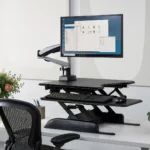


How Much Weight Can a Riser Desk Hold?
A riser desk looks simple from the outside, but the amount of weight it can safely hold is one of the most overlooked details before buying one. Most riser desks support anywhere between 15 and 50 pounds, though the exact number depends heavily on the build quality, lift mechanism, and platform size. Getting this number wrong is one of the fastest ways to end up with a wobbly, sagging setup instead of a comfortable one. This guide walks through real weight ranges, how to calculate what a specific setup actually needs, and what happens when that limit gets pushed too far.
Nobody wants to spend money on a desk accessory only to watch it tilt under the weight of a monitor a few weeks later, so this breakdown keeps things practical rather than theoretical.
Table of Contents
- What Does Weight Capacity Actually Mean for a Riser Desk?
- Why Does This Number Matter More Than Most Buyers Think?
- Typical Load Ranges Across Different Riser Styles
- How to Work Out the Load a Setup Really Needs
- What Happens When the Limit Gets Pushed Too Far?
- Manual Lift vs Electric Lift: Does Capacity Change?
- Handling Dual-Monitor and Multi-Screen Loads
- How Frame Material Affects How Much It Can Hold
- Practical Ways to Stay Within a Safe Load
- Warning Signs the Platform Is Already Overloaded
- Final Thoughts on Matching a Riser to Its Load
What Does Weight Capacity Actually Mean for a Riser Desk?
How do manufacturers measure this number?
Weight capacity refers to the maximum combined load a manufacturer rates the platform to hold safely while raised to full height. This figure usually comes from controlled testing, where technicians load the desk evenly and cycle it up and down repeatedly to check for sagging or motor strain. It’s worth noting that this number reflects a static, centered load, so uneven weight distribution can lower the practical limit even if the rated number looks generous.
- Manufacturers test under controlled, evenly distributed conditions
- Ratings usually reflect the platform at full extension, not partially raised
- A centered load performs closer to the rated limit than an off-balance one
- Cheaper models often list lower ratings due to thinner support arms
For anyone still getting familiar with the basics, it helps to first understand the different formats and what each one is actually built for before comparing capacity numbers.
Why Does This Number Matter More Than Most Buyers Think?
What actually goes wrong when buyers ignore it?
Buyers often assume a monitor and keyboard are light enough that weight capacity barely matters, but that assumption breaks down quickly once accessories pile up. A monitor arm, a mechanical keyboard, a laptop stand, and a few desk organizers can add up faster than expected, especially on a smaller single-tier platform. Consequently, ignoring this spec is one of the most common reasons people end up replacing a riser within the first year.
- Accessories add weight faster than most people estimate
- Smaller platforms have less margin for error than larger ones
- Overlooked capacity is a leading cause of early product failure
- A properly matched load extends the lifespan of the lift mechanism
Typical Load Ranges Across Different Riser Styles
What numbers should someone actually expect to see?
Weight ratings vary noticeably depending on the design, and knowing the general range helps set realistic expectations before comparing specific models. Entry-level single-tier converters tend to sit on the lower end, while larger dual-tier platforms built for full workstations carry noticeably more.
- Compact single-tier converters: roughly 15–25 lbs, best for one monitor and a keyboard
- Standard dual-tier converters: roughly 25–35 lbs, suited for a monitor plus keyboard tray
- Wide dual-monitor platforms: roughly 35–50 lbs, built for heavier multi-screen setups
- Heavy-duty gaming or workstation risers: 50 lbs and above, reinforced for PC towers or large ultrawide screens
How to Work Out the Load a Setup Really Needs
What’s the simplest way to calculate this before buying?
Working out the required capacity is easier than it sounds, and it prevents the common mistake of buying based on price alone. Start by listing every item that will sit on the platform, then add each item’s approximate weight together. After reaching a total, add a safety margin on top, since real-world use rarely stays as neat as a spec sheet.
- Add up the weight of every monitor, keyboard, and accessory going on top
- Include peripherals like speakers, webcams, or a laptop stand if applicable
- Add a 20–30% safety margin to the combined total
- Match that final number against the manufacturer’s published rating, not an estimate
For example, a 24-inch monitor near 12 lbs, a mechanical keyboard near 3 lbs, and a small speaker near 2 lbs already total 17 lbs before any margin is added, which already pushes close to the limit of many compact converters.
What Happens When the Limit Gets Pushed Too Far?
What are the real consequences of overloading it?
Pushing past the rated limit rarely causes an immediate collapse, but the effects build up gradually and become obvious at the worst possible time. The lift mechanism has to work harder with every cycle, which speeds up wear on springs, gas cylinders, or motors depending on the model. Over time, this often shows up as a platform that no longer holds its height, drifts downward on its own, or locks unevenly on one side.
- Lift springs and gas cylinders wear out faster under repeated overload
- Electric motors can overheat or stall when the load pushes them beyond their rating
- The platform may drift downward instead of holding a locked position
- Uneven sagging increases the risk of a monitor tipping off balance
Manual Lift vs Electric Lift: Does Capacity Change?
Is one lift type stronger than the other?
The lift mechanism itself plays a bigger role in weight handling than most buyers expect. Manual, spring-assisted models rely on tension that the user has to manually match to the load, so they tend to top out at a lower capacity range. Electric models, on the other hand, use a motor that can push through heavier loads more consistently, which is why higher-capacity platforms are usually electric rather than manual.
| Lift Type | Typical Capacity | Adjustment Style | Best Fit |
|---|---|---|---|
| Manual (spring-assisted) | Lower to moderate | Push or pull with tension lock | Lighter, single-monitor setups |
| Electric (motorized) | Moderate to high | Push-button height control | Heavier, multi-monitor setups |
For a deeper look at how the two lift types compare beyond just weight, it’s worth reviewing the full trade-offs between them before deciding.
Handling Dual-Monitor and Multi-Screen Loads
Does adding a second screen change the math significantly?
A second monitor doesn’t just double the visible weight on paper; it also shifts how the platform distributes that weight, which matters just as much as the total number. Two monitors sitting side by side put pressure on both edges of the platform at once, so a converter rated for a single centered screen may still struggle even if the combined weight technically fits under the limit.
- Dual-monitor setups need a wider platform, not just a higher weight rating
- Weight spread across both edges reduces stress compared to one heavy center load
- VESA-mount dual arms distribute weight more evenly than resting monitors flat
- Buyers should check ultrawide or curved displays against depth as well as weight
How Frame Material Affects How Much It Can Hold
Does the build material actually change how much it holds?
The frame and support arms matter just as much as the lift mechanism when it comes to how much weight a setup can safely handle. Steel-reinforced arms flex far less under load than lightweight aluminum or plastic components, which is why heavier-duty models tend to rate noticeably higher even at a similar price point. A thicker platform surface also resists bowing in the middle, especially on wider dual-monitor designs where weight sits away from the center support.
- Steel support arms generally hold more weight than aluminum or plastic ones
- Thicker platform surfaces resist bowing under spread-out loads
- Reinforced base plates reduce wobble at maximum height
- Cheaper materials often explain why two similarly sized products carry different ratings
Practical Ways to Stay Within a Safe Load
What can someone do to avoid overloading their setup?
A few small habits go a long way toward keeping a riser desk well within its rated limit for years of regular use. Positioning heavier items toward the center of the platform, rather than the edges, keeps the load balanced and reduces strain on the lift mechanism. Removing anything that isn’t essential to daily use also frees up margin for future upgrades.
- Center heavier monitors and equipment rather than placing them near the edges
- Skip decorative add-ons that don’t serve a daily function
- Choose monitor arms over flat-resting stands when possible to reduce base pressure
- Recheck the total load whenever someone adds a new accessory or monitor
Warning Signs the Platform Is Already Overloaded
How can someone tell if their setup has already gone too far?
Some warning signs show up long before a full failure, and catching them early can prevent a bigger repair or replacement cost down the line. A platform that slowly sinks after locking into position gives one of the clearest indicators, along with a noticeably louder motor or a manual lift that feels harder to raise than it used to.
- The platform gradually sinking after it locks at height
- A motor that sounds strained or runs hotter than usual
- A manual lift that suddenly requires more force to raise
- Visible tilting toward one side, especially with off-center monitors
Getting the height itself set correctly also reduces unnecessary strain on the lift mechanism, and it’s worth walking through step by step before locking in a final position.
Final Thoughts on Matching a Riser to Its Load
Matching a riser desk to the correct weight capacity isn’t about buying the biggest number available; it’s about honestly totaling up what will actually sit on top of it and leaving enough margin for real-world use. A setup that stays comfortably under its rated limit lasts longer, holds its height more reliably, and avoids the slow sagging that eventually forces an early replacement. Taking a few extra minutes to calculate the real load before buying saves both money and frustration later on.
Frequently Asked Questions About Riser Desk Weight Limits
Can a riser desk hold a full PC tower along with a monitor?
Most standard converters don’t support a full tower, since that adds significant weight beyond what a typical platform can handle. Heavy-duty gaming or workstation models designed specifically for tower support exist, but a standard single or dual-tier converter should generally handle only a monitor, keyboard, and light accessories.
Does the weight rating include the keyboard tray or just the top platform?
The published rating almost always covers the combined load across every tier, including the keyboard tray, not just the top monitor shelf. Splitting weight between tiers helps distribution, but the manufacturer’s total limit still applies to everything resting on the unit at once.
Is it safe to exceed the weight limit by just a little?
A small, occasional overage is unlikely to cause immediate damage, but doing it consistently accelerates wear on the lift mechanism over time. Staying within the rated limit, especially with a reasonable safety margin, is the safer long-term approach rather than treating the number as a flexible suggestion.
Do heavier monitors need a different type of riser altogether?
Very heavy or large ultrawide monitors often need a platform rated above the standard range, along with a wider base for stability. In these cases, checking both the weight rating and the physical platform depth matters just as much as the number on the spec sheet.
How often should the load be rechecked after the initial setup?
It’s worth revisiting the total load anytime someone adds a new monitor, accessory, or peripheral to the desk, rather than assuming the original calculation still applies months later. Small additions like a second speaker or a heavier keyboard can quietly push a setup closer to its limit, so a quick recheck every few months is a reasonable habit for anyone who frequently changes their gear.