
Riser Desk for Gaming Setups: Is It Worth It?
A riser desk for gaming setups is one of the simplest upgrades a gamer can make without replacing an entire desk. Instead of buying a brand-new height-adjustable table, a riser sits on top of the existing desk and lifts the monitor, keyboard, and mouse into a standing position whenever needed. For gamers who spend hours in front of a screen, this small platform can quietly solve a big posture problem. However, before spending money on one, it helps to understand exactly what it does, how it compares to other options, and whether it genuinely fits a gaming routine.
This guide breaks everything down in plain language, so a decision can be made with confidence rather than guesswork.
Table of Contents
- What Is a Riser Desk?
- How Does It Work for Gaming Setups?
- What Are the Benefits for Gamers?
- Does It Improve Gaming Posture?
- Is It Better Than a Full Standing Desk?
- What Should Gamers Check Before Buying One?
- Are There Any Downsides to Using It for Gaming?
- Who Should Consider One for Their Gaming Setup?
- How to Set It Up for a Gaming Station
- Final Verdict: Is It Worth It for Gamers?
What Is a Riser Desk?
What exactly does a riser desk do?
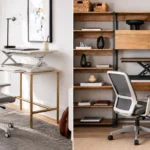
A riser desk, sometimes called a desktop converter, is a platform that sits directly on top of a regular desk. It raises the monitor, keyboard tray, and sometimes the mouse pad to standing height, then folds or lowers back down when sitting is preferred. Because it doesn’t require any drilling or permanent installation, it works on almost any flat surface. For gamers, this means the existing gaming desk stays exactly where it is, while the riser handles the height adjustment on its own.
- Sits on top of an existing desk without modification
- Lifts or lowers with a spring, pneumatic, or manual crank mechanism
- Comes in single-tier, dual-tier, and keyboard-tray designs
- Typically supports one or two monitors depending on size
For a closer look at the everyday posture and energy gains this shift creates, the Benefits of Using a Riser Desk at Work guide breaks down what changes once sit-stand movement becomes part of a daily routine.
How Does a Riser Desk Work for Gaming Setups?
How does the height adjustment actually function during gameplay?
Most riser desks use a gas-spring or counterbalance system that allows the platform to glide up and down with a light push or pull. Some models include a lever or button for smoother electric-assisted lifting, though manual versions remain the most common in gaming setups because they’re lighter and cheaper. Once raised, the platform locks into place so the monitor and keyboard stay steady, even during fast-paced gameplay.
- Manual riser desks rely on spring tension for lift and lock
- Electric riser desks use a small motor for push-button adjustment
- Locking mechanisms prevent wobble once the desired height is set
- Most models adjust within a few seconds, so switching mid-session is realistic
What Are the Benefits of a Riser Desk for Gamers?
Why are gamers adding a riser desk to their setup?
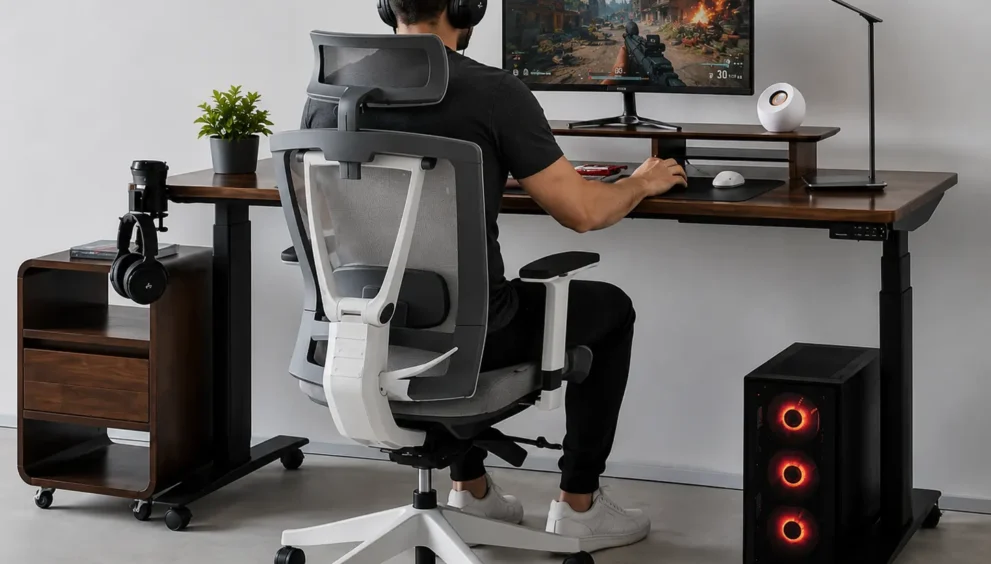
A riser desk gives gamers a low-cost way to break up long sitting sessions without replacing furniture. Since it only affects the top layer of the desk, the rest of the gaming station, including the PC tower, speakers, and cable routing, stays untouched. This makes it an easy entry point for anyone who wants to try standing gameplay before committing to a full sit-stand desk overhaul.
- Reduces the cost of upgrading compared to a full standing desk
- Requires no assembly changes to the existing gaming desk
- Adjusts quickly between sitting and standing during breaks
- Works well for shared desks used for both gaming and studying
Does a Riser Desk Improve Gaming Posture?
Can it genuinely fix posture problems while gaming?
A riser desk can improve posture, but only when it’s set at the correct height. Placing the keyboard too high forces the shoulders to shrug, while a monitor set too low causes the neck to bend forward. When adjusted properly, though, it keeps the elbows at roughly a 90-degree angle and the top of the screen near eye level, which reduces the slouching that builds up during long raids or ranked matches. Consequently, gamers who alternate positions throughout the day tend to report less stiffness by the end of a session.
- Keeps elbows bent near 90 degrees when set correctly
- Aligns the top third of the monitor with eye level
- Prevents constant forward-leaning posture common in seated play
- Encourages small movement breaks that seated setups don’t allow
Is a Riser Desk Better Than a Full Standing Desk?
Should a gamer choose one over a full electric standing desk?
The right choice depends on budget, space, and how permanent the setup needs to be. A full standing desk replaces the entire table and usually offers a larger surface, higher weight capacity, and smoother electric adjustment, but it costs significantly more and takes up a fixed footprint. A riser desk, on the other hand, is portable, affordable, and reversible, making it a smarter starting point for gamers who aren’t ready to overhaul their whole station. Therefore, the decision often comes down to whether the goal is a quick posture fix or a long-term furniture investment.
| Feature | Riser Desk | Full Standing Desk |
|---|---|---|
| Upfront Cost | Lower | Higher |
| Setup Time | Minutes, no tools | Longer, some assembly |
| Surface Space | Smaller, tiered | Full desktop width |
| Portability | Movable, sits on any desk | Fixed once assembled |
| Weight Capacity | Moderate | Generally higher |
| Best For | Testing standing gameplay, tight budgets | Long-term hybrid work and gaming |
For gamers weighing space constraints as part of this decision, the Riser Desk for Small Spaces: Is It a Good Fit? breakdown covers how footprint and room layout affect which option makes more sense.
What Should Gamers Check Before Buying a Riser Desk?
What features actually matter when picking a riser desk for gaming?
Not every riser desk is built for the weight and depth of a gaming setup, so a few details are worth checking before ordering one. Screen size, desk depth, and how many monitors need support all affect which model fits best. Additionally, gamers using mechanical keyboards or heavier peripherals should pay attention to the platform’s weight rating, since underpowered risers can sag or tilt over time.
- Weight capacity: confirm it supports the monitor, keyboard, and mouse combined, plus a safety margin
- Platform depth: deeper tiers give more room for wrist placement and mouse movement
- Monitor mount compatibility: dual-monitor setups need a wider or VESA-compatible riser
- Lift smoothness: spring-assisted models should rise and lower without sudden drops
- Desk footprint: measure the base desk to be sure the riser fits without overhanging the edge
Are There Any Downsides to Using a Riser Desk for Gaming?
What are the trade-offs gamers should expect?
While a riser desk solves the posture problem affordably, it isn’t a perfect substitute for a full standing desk. The tiered design usually reduces available surface space, which can be tight for gamers running multiple monitors, a headset stand, and a mouse pad at the same time. Some manual models also require a firm push to raise or lower, which can feel clunky compared to an electric standing desk’s smooth glide.
- Smaller surface area than a full-width standing desk
- Manual lift models can feel stiff on cheaper units
- Cable management is harder since cables must flex with the riser
- Not ideal for very heavy dual-monitor or triple-monitor rigs
Who Should Consider a Riser Desk for Their Gaming Setup?
Is it the right fit for every type of gamer?
A riser desk tends to work best for gamers who already own a desk they like and simply want the option to stand occasionally. It also suits players in shared spaces, dorm rooms, or rentals where drilling into furniture or buying a full desk isn’t practical. On the other hand, competitive gamers running elaborate multi-monitor rigs may eventually outgrow a riser and prefer a dedicated standing desk with more surface area.
- Gamers who want to test standing play before a bigger investment
- Students or renters who can’t install permanent furniture
- Casual to mid-length session players, including streamers
- Anyone dealing with mild neck or back stiffness from long sitting
How to Set Up a Riser Desk for a Gaming Station
What’s the correct way to position a riser desk for gaming comfort?
Setting up a riser desk properly takes only a few minutes but makes a noticeable difference in comfort. First, the base desk should be measured so the riser sits centered and doesn’t overhang the edge. Next, the monitor should be raised until the top third of the screen lines up with eye level, and the keyboard tier should sit low enough to keep the wrists flat and neutral.
- Center the riser on the desk before placing any peripherals
- Align monitor height so eyes meet the top third of the screen
- Keep the keyboard tier at elbow height to avoid wrist strain
- Leave slack in cables so they don’t pull tight when the riser is raised
- Test the lock mechanism at full height before gaming for extended periods
Final Verdict: Is a Riser Desk Worth It for Gamers?
For most gamers, a riser desk is a practical, low-risk way to add movement and better posture to a setup that would otherwise stay static for hours. It won’t match the full surface space or polish of a dedicated standing desk, but it delivers most of the posture benefits at a fraction of the cost and without replacing existing furniture. Gamers dealing with occasional stiffness, tight budgets, or shared spaces will likely find it worth the investment, while those running heavy multi-monitor competitive rigs may eventually want to graduate to a full standing desk setup instead. Ultimately, the value of this upgrade comes down to one simple habit: standing up and moving, even for fifteen minutes between matches, adds up over a long gaming session.
Frequently Asked Questions About Riser Desks for Gaming
Can it support a mechanical keyboard and a gaming mouse together?
Yes, most mid-range and higher riser desks are rated to handle a mechanical keyboard, a gaming mouse, and a mouse pad without any issue. The keyboard tier is usually the deepest part of the platform, giving enough room for wrist movement during fast-paced play. It’s still worth checking the listed weight capacity if the keyboard is unusually heavy or includes a wrist rest, since underrated platforms can flex slightly under extra load.
Does it work with curved or ultrawide gaming monitors?
Larger curved and ultrawide monitors can sit on a riser desk, but the base needs to be wide and stable enough to support the extra width and weight. Single-tier risers with a solid, non-tilting platform tend to work best for these monitors, since a narrow or angled surface may not distribute the weight evenly. Checking the monitor’s base footprint against the riser’s platform dimensions before buying helps avoid a poor fit.
How long does it take to get used to gaming while standing on a riser desk?
Most gamers adjust within one to two weeks of gradually increasing standing time. Starting with short 15 to 20 minute standing intervals between matches, then slowly extending them, tends to work better than standing for hours right away. Pairing the riser desk with an anti-fatigue mat also speeds up the adjustment period by reducing pressure on the feet and lower legs.
Is it worth buying an electric riser desk instead of a manual one?
An electric riser desk is worth the extra cost for gamers who switch positions frequently throughout the day, since push-button adjustment is faster and requires less physical effort than a manual spring-lift model. However, for gamers who only plan to stand once or twice per session, a manual riser desk still gets the job done at a noticeably lower price point. The decision mostly comes down to how often the height will actually change during a typical day.