
Can You Use a Riser Desk With a Laptop?
A riser desk sits on top of your existing desk and lifts your work surface to a standing height. Many people wonder whether this accessory works with a laptop the same way it works with a desktop monitor.
Understanding what a riser desk is and how it interacts with a laptop’s flat screen-and-keyboard design helps you decide whether it fits your setup. This guide explains how riser desks function with laptops, what changes when you switch from a monitor, and what to check before adding one.
Table of Contents
- What Is a Riser Desk?
- Can You Use a Riser Desk With a Laptop?
- How a Riser Desk Works With a Laptop vs a Desktop Monitor
- Benefits of Pairing a Laptop With a Riser Desk
- Who Benefits Most From This Setup
- Common Challenges to Expect
- Single-Tier vs Dual-Tier Riser Desks for Laptops
- Do You Need an External Keyboard and Mouse?
- Weight and Stability Considerations
- Signs Your Current Laptop Setup Needs a Riser Desk
- How to Set Up a Riser Desk With a Laptop
- Riser Desk vs Laptop Stand: Key Differences
- Frequently Asked Questions
- Final Thoughts
What Is a Riser Desk?
A riser desk, also called a desk converter or standing desk converter, is a platform that sits on top of your current desk. It raises your monitor, keyboard, or laptop to standing height, so you can switch between sitting and standing without buying new furniture.
Unlike a full standing desk, a riser desk doesn’t replace your desk. Instead, it works as an add-on layer that changes how you use the same surface you already own.
Most models come in two designs:
- Single-tier risers – One flat platform that lifts everything together
- Dual-tier risers – A split design with a raised shelf for the screen and a lower tray for the keyboard
Because the mechanism only affects height, a riser desk suits almost any device placed on top of it, including a laptop. However, the fit isn’t identical to how it works with a desktop monitor, which is where most of the confusion starts.
Can You Use a Riser Desk With a Laptop?
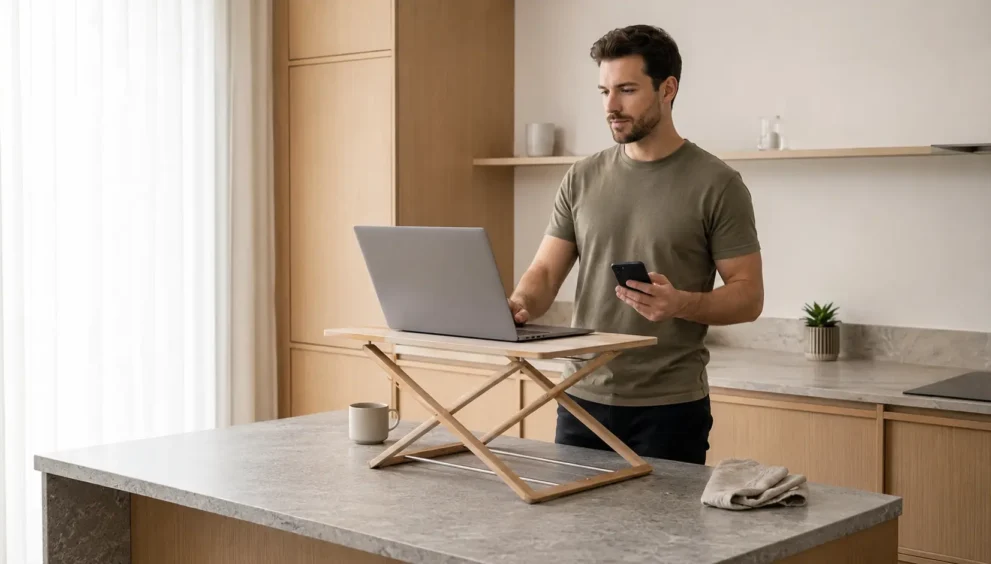
Yes, you can use a riser desk with a laptop. Since a riser desk simply lifts whatever sits on its platform, a laptop rests on it the same way a monitor would, and the mechanism itself doesn’t care what device you place there.
However, a laptop combines the screen and keyboard into a single unit, while a riser desk was originally designed around separate desktop components. As a result, raising a laptop to eye level also raises its keyboard, which can push your wrists and shoulders into an awkward position over time.
This tradeoff doesn’t rule out using a riser desk with a laptop. It simply means you need to plan your setup a little differently than someone using a monitor, keyboard, and mouse on separate surfaces.
How a Riser Desk Works With a Laptop vs a Desktop Monitor
A desktop monitor setup separates the screen from the input devices, so a riser desk can lift the monitor to eye level while the keyboard and mouse stay at a comfortable typing height. This separation is what makes riser desks so effective for ergonomics in the first place.
A laptop doesn’t offer that same separation. When you place a laptop on a riser desk, the screen and keyboard move together, so you either accept a keyboard that sits too high or add external peripherals to restore the split a monitor setup naturally provides.
This difference explains why laptop users often pair a riser desk with an external keyboard and mouse, while desktop monitor users rarely need to make that adjustment at all.
Benefits of Pairing a Laptop With a Riser Desk
Even with the keyboard-height tradeoff, a riser desk still offers real advantages for laptop users:
- Raises the laptop screen closer to eye level, reducing the forward neck tilt common with flat laptop use
- Creates usable space underneath the platform for cables, a notebook, or a phone
- Lets you alternate between sitting and standing throughout the day without switching to a different workstation
- Works well for hybrid setups where a laptop later connects to an external monitor
- Costs significantly less than replacing an entire desk with a full standing desk
For occasional laptop use, especially during video calls or reading, these benefits often outweigh the keyboard positioning issue described above.
Who Benefits Most From This Setup
A riser desk isn’t equally useful for every laptop user, so it helps to know where you fall on this spectrum before buying one.
- Remote workers who switch between sitting and standing multiple times a day, since a laptop rides along with the platform with no extra setup
- Hybrid employees who connect a laptop to an external monitor at a desk and want the option to stand for part of the day
- Students or freelancers with limited desk space, since a compact riser adds height without requiring a dedicated standing desk
- Anyone managing mild back or neck strain from long sitting sessions, provided standing intervals fit their routine
If you mostly work from a couch, bed, or a laptop-only setup with no fixed desk, a riser desk offers less benefit, since its core advantage depends on having a consistent surface to build from.
Common Challenges to Expect
Before you set one up, it helps to understand where a riser desk falls short for laptop use specifically:
- Keyboard height – Raising the laptop also raises its built-in keyboard, which can lift your shoulders and strain your wrists over time
- Limited surface space – Smaller riser platforms may not comfortably fit a laptop alongside a mouse pad or notepad
- Ventilation – Some flat, single-tier risers sit close to the laptop’s base and restrict airflow during long sessions
- Stability – Lightweight or budget risers may wobble slightly under a laptop, particularly with larger 17-inch models
None of these issues are dealbreakers, but they explain why laptop-specific adjustments matter more than they would with a desktop monitor.
Single-Tier vs Dual-Tier Riser Desks for Laptops
The type of riser desk you choose changes how well it accommodates a laptop.
Single-tier risers lift everything on one flat surface. This design works fine if you plan to type directly on the laptop for short periods, since it keeps the setup simple and often more affordable.
Dual-tier risers separate the screen level from the keyboard level. For laptop users, this only helps once you add an external keyboard, since the lower tray otherwise stays empty. In that case, the laptop screen sits on the upper shelf while a wireless keyboard sits on the lower tray, recreating the split a monitor setup provides.
If you use your laptop as your only screen for long hours, a dual-tier riser paired with an external keyboard generally delivers better ergonomics than a single-tier model.
Do You Need an External Keyboard and Mouse?
Not strictly, but adding one improves the experience noticeably. Without external peripherals, a raised laptop forces your wrists into a higher, less neutral typing angle, since the keyboard rises along with the screen.
An external keyboard and mouse let you keep your hands at a comfortable, lower height while the laptop screen stays elevated for better eye-level viewing. This combination comes closest to matching the ergonomics of a traditional monitor-and-keyboard setup on a riser desk.
If you only use the riser occasionally, for a quick call or short standing session, typing directly on the laptop keyboard for a few minutes is unlikely to cause any discomfort.
Weight and Stability Considerations
Riser desks are rated for a specific weight range, and laptops fall comfortably within what most models support. A typical laptop weighs between 2 and 6 pounds, well under the 15 to 35 pound capacity most riser desks are built to hold.
That said, stability matters more than raw weight capacity. A laptop concentrates its weight in a smaller footprint than a monitor and keyboard spread across a wider surface, so an unstable or poorly balanced riser may wobble more noticeably when you type.
Before buying, check the platform’s minimum width and the manufacturer’s stated weight limit, especially if you plan to place a laptop alongside an external keyboard, mouse, or a second monitor.
Signs Your Current Laptop Setup Needs a Riser Desk
Certain daily habits suggest a laptop-only setup is affecting your posture, and a riser desk can directly address several of them. Watch for these patterns:
- You catch yourself leaning forward or hunching to see the screen clearly
- Your neck or upper back feels tight by the middle of the workday
- You sit in the same position for hours with no option to stand
- Your laptop sits flat on the desk with the screen well below eye level
If two or more of these feel familiar, raising the laptop with a riser desk, ideally alongside an external keyboard, is a practical first step before considering a full standing desk replacement.
How to Set Up a Riser Desk With a Laptop
A few adjustments make a laptop-and-riser combination noticeably more comfortable:
- Position the laptop so the top third of the screen sits at or just below eye level
- Add a separate keyboard and mouse if you plan to type for more than a few minutes at a time
- Use a laptop cooling pad or ventilated stand if your single-tier riser sits flush against the base
- Check that cables have enough slack to move freely as you switch between sitting and standing
- Choose a dual-tier riser if you want the keyboard tray positioned lower than the screen
Following these steps closely mirrors the ergonomic setup recommended for a desktop monitor, just adapted for a laptop’s combined screen and keyboard.
Riser Desk vs Laptop Stand: Key Differences
A riser desk and a laptop stand solve a similar problem in different ways, and the distinction matters if you’re deciding between them.
A riser desk lifts a wider platform to standing height and typically supports a full desktop setup, including a keyboard, mouse, and one or more monitors. A laptop stand, in contrast, is a smaller accessory built specifically to angle a laptop’s screen without necessarily reaching standing height.
If you mainly want to alternate between sitting and standing throughout the day, a riser desk offers more flexibility. If you only want to raise your laptop screen for better posture while seated, a laptop stand is usually the simpler, more compact option.
Frequently Asked Questions
Can a riser desk damage a laptop?
No. A stable, properly rated riser desk supports a laptop safely, as long as the platform is wide enough and the weight stays within the manufacturer’s limit.
Do I need a special riser desk for a laptop?
Not necessarily. Most standard riser desks, whether single-tier or dual-tier, work with a laptop, though a dual-tier model paired with an external keyboard offers better ergonomics.
Is a riser desk better than a laptop stand for daily use?
It depends on your setup. A riser desk suits people who alternate between sitting and standing, while a laptop stand suits people who only need better screen height while seated.
Can I use a riser desk with a laptop and an external monitor together?
Yes. Many users place an external monitor on the upper tier and position the laptop, often in clamshell mode, off to the side or on a separate laptop stand.
How high should a riser desk be for a laptop?
Aim for a height where the top third of the screen lines up with your eyes while standing normally, then adjust for an external keyboard separately if you add one.
Final Thoughts
A riser desk works with a laptop, but the fit isn’t automatic the way it is with a desktop monitor. Because the screen and keyboard move together, you’ll get the best results by adding an external keyboard and mouse, choosing a dual-tier design if possible, and paying attention to ventilation and stability.
For occasional standing sessions or video calls, a laptop placed directly on a riser desk works fine without any extra equipment. For daily, long-hour use, a small investment in peripherals turns a riser desk into a genuinely ergonomic laptop setup rather than just a height adjustment.