

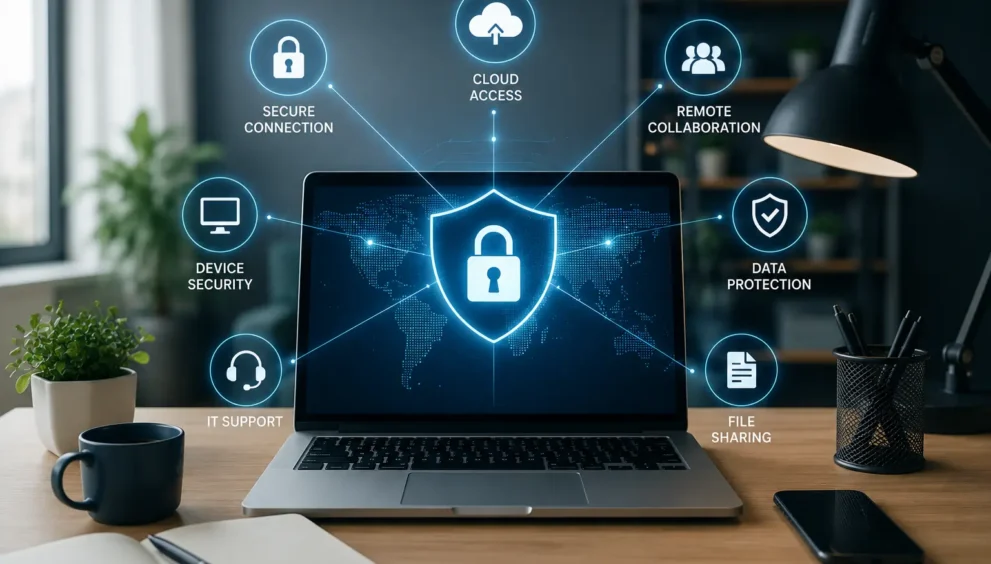
IT Business Solutions Make Remote Work Easy
Remote work is no longer a temporary arrangement — it’s a permanent fixture of modern business. Millions of employees now split their time between home and office, or work fully remote, and this shift shows no sign of reversing. But flexibility only works when the technology behind it holds up.
That’s exactly why IT business solutions have become the backbone of every successful remote and hybrid workforce. From secure file access to real-time collaboration, the right technology stack determines whether a distributed team thrives or struggles.
Businesses that treat IT infrastructure as an afterthought quickly discover that productivity, security, and employee trust all suffer together. This guide covers the practical solutions, best practices, and 2026 trends businesses need for a remote work environment that’s both easy to use and genuinely secure.
Why Businesses Need IT Business Solutions for Remote Work
Working outside a traditional office introduces challenges a controlled, on-site environment never had.
- Remote team collaboration — Teams need tools that replicate spontaneous conversations and real-time feedback.
- Cybersecurity risks — Home networks and public Wi-Fi expand the attack surface beyond office firewalls.
- Secure file sharing — Documents moving across email threads and personal drives create compliance risks.
- Device management — IT teams must track and secure a wider range of hardware than in a centralized office.
- Employee productivity — Distractions and inconsistent tools can quietly erode output.
- Business continuity — A connectivity failure or cyber incident can halt operations without a backup plan.
- Communication barriers — Time zones make miscommunication more likely without the right platforms.
- Cloud accessibility — Employees need reliable access to company systems from any approved device.
- Compliance requirements — Regulated industries must maintain standards even when data leaves the office.
- Data privacy — Personal and company data sharing the same devices raises the stakes for every decision.
These challenges rarely appear in isolation — a weak device policy often leads directly to a data privacy incident. That’s why businesses need coordinated solutions, not a patchwork of individual fixes.
Essential IT Business Solutions for Secure Remote Work
The right combination of tools turns these challenges into manageable, everyday operations.
- Cloud computing gives employees instant access to files and shared workspaces from any location, without storing sensitive data locally.
- Virtual Private Networks (VPN) encrypt the connection between a remote device and company systems, shielding data on unsecured networks.
- Zero Trust Security verifies every user and device on every access request, replacing the assumption that anyone inside is safe.
- Multi-Factor Authentication (MFA) adds a second verification step beyond passwords, blocking most credential-based attacks.
- Identity and Access Management (IAM) ensures employees only reach systems relevant to their role.
- Endpoint protection monitors laptops and mobile devices for malware and suspicious behavior in real time.
- Mobile Device Management (MDM) lets IT teams enforce policies, push updates, and remotely wipe lost devices.
- Secure collaboration platforms combine messaging, calls, and file sharing in one encrypted environment.
- Cloud storage solutions centralize files with built-in encryption, replacing risky email attachments.
- AI-powered cybersecurity analyzes behavior patterns to catch anomalies faster than manual review.
- Data backup and disaster recovery ensure operations resume quickly after an outage or breach.
- Remote IT support gives distributed employees fast troubleshooting access, reducing downtime.
- Unified communication tools bring calls, chat, and video into one platform instead of fragmented apps.
Best Practices for Building a Secure Remote Workforce
Technology alone isn’t enough — consistent habits determine whether these tools actually protect the business.
- Enforce strong, unique password policies across every account
- Run regular cybersecurity awareness training to spot phishing attempts
- Keep software and firmware updated on a predictable schedule
- Require device encryption on all company and BYOD hardware
- Insist on secure Wi-Fi, avoiding public networks for work tasks
- Apply role-based access control matching permissions to job needs
- Maintain continuous monitoring of network and device activity
- Schedule regular security audits to catch gaps early
- Follow a tested backup strategy, not just an assumed one
- Document and rehearse an incident response plan before a crisis
Emerging Remote Work Technology Trends for 2026
Businesses that stay ahead of these shifts gain a real advantage.
AI-powered workplace security is moving from reactive alerts to automated, real-time threat containment. Intelligent automation streamlines routine IT tasks, freeing teams for higher-value work. Zero Trust is becoming the default architecture rather than an advanced option, as perimeter-based security no longer fits a distributed workforce.
Secure Access Service Edge (SASE) merges networking and security into a single cloud-delivered service. Cloud-native collaboration tools are replacing legacy on-premise software entirely. Passwordless authentication — using biometrics or hardware keys — reduces dependence on easily stolen credentials.
AI-assisted IT support resolves common employee issues instantly, without a help desk queue. Digital employee experience platforms help companies measure how remote work actually feels day to day. Hybrid work infrastructure is being purpose-built rather than adapted from office-first systems. And predictive cybersecurity uses threat intelligence to anticipate attacks before they happen.
How to Choose the Right IT Business Solution
Selecting the right mix of tools depends on more than price. Consider these factors:
- Business size — A ten-person startup and a five-hundred-person enterprise need very different scales of infrastructure.
- Budget — Prioritize solutions that address your highest-risk gaps first, rather than spreading spend too thin.
- Scalability — Choose systems that can grow alongside hiring and expansion without a costly overhaul.
- Security features — Confirm encryption standards, access controls, and compliance certifications before committing.
- Ease of deployment — Solutions that take months to set up delay the productivity gains you’re trying to achieve.
- Integration capabilities — Tools that connect with existing systems prevent fragmented, hard-to-manage workflows.
- Vendor support — Responsive support matters most during an outage, not during the sales pitch.
- Compliance requirements — Regulated industries need solutions built with audit and reporting needs in mind.
- Future business growth — Think beyond today’s headcount to where the company will be in two or three years.
- Return on investment (ROI) — Weigh the solution’s cost against the productivity and risk reduction it delivers.
Conclusion
Remote work has permanently changed how businesses operate, and the companies thriving in this environment treat IT infrastructure as a strategic priority, not an afterthought. Secure, well-integrated IT business solutions do more than prevent breaches — they build the trust, consistency, and flexibility that let distributed teams do their best work.
As hybrid models mature and threats grow more sophisticated, businesses that invest early in scalable, secure technology won’t just keep up with remote work — they’ll set the standard for what productive, protected, future-ready operations look like.